Access Serial Ports
ACCESS > Serial Ports
The ACCESS > Serial Ports page allows you to quickly locate and access specific ports via Web Terminal or SSH. Click the expand arrow to the right of the port to see these options.
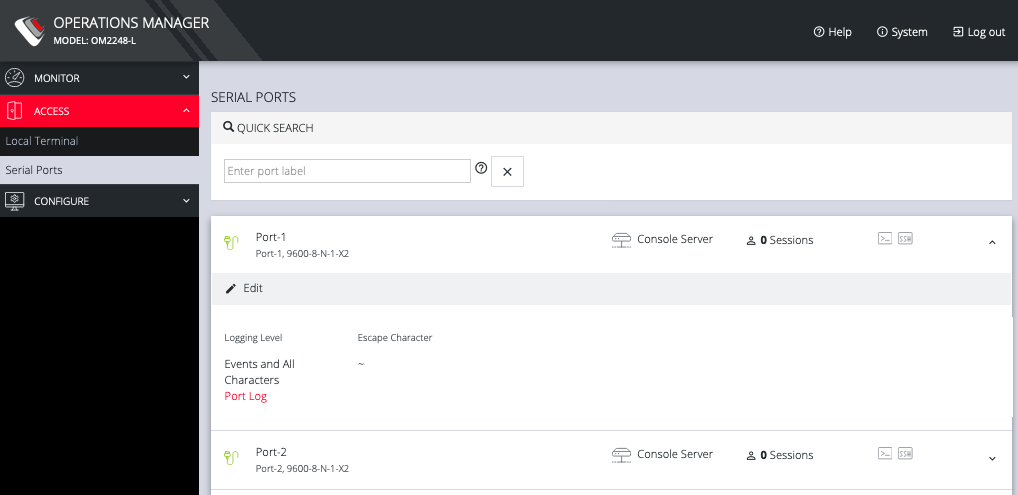
Quick Search
To find a specific port by its port label, use the Quick Search form on the top of the ACCESS > Serial Ports page. Ports are given default numbered labels. You can set the port label for a given serial port under CONFIGURE > Serial Ports. Click the edit button under Actions to open the EDIT SERIAL PORT page.
Access Using Web Terminal or SSH
To access the console port via the Web Terminal or SSH:
-
Locate the particular port on the ACCESS > Serial Ports page and click the expand arrow.
-
Click the Web Terminal or SSH link for the particular port.
-
Choosing Web Terminal opens a new browser tab with the terminal.
-
Choosing SSH opens an application you have previously associated with SSH connections from your browser.
Note: Serial port logging is disabled by default. Control the logging level for each serial port by changing Logging Settings in Configure > Serial Ports > Edit page.
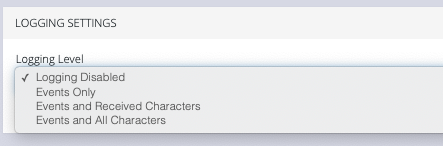
The log will appear via the Port Log link on the Serial Ports expanded page.