Lighthouse Enrollment
CONFIGURE > Lighthouse Enrollment
Opengear appliances can be enrolled into a Lighthouse instance, providing centralized access to console ports, NetOps Automation, and central configuration of Opengear devices.
To enroll your OPERATIONS MANAGER to a Lighthouse instance, you must have Lighthouse installed and have an enrollment token set in Lighthouse.
To set an enrollment token in Lighthouse, click on CONFIGURE > NODE ENROLLMENT > Enrollment Settings page, and enter an Enrollment Token.
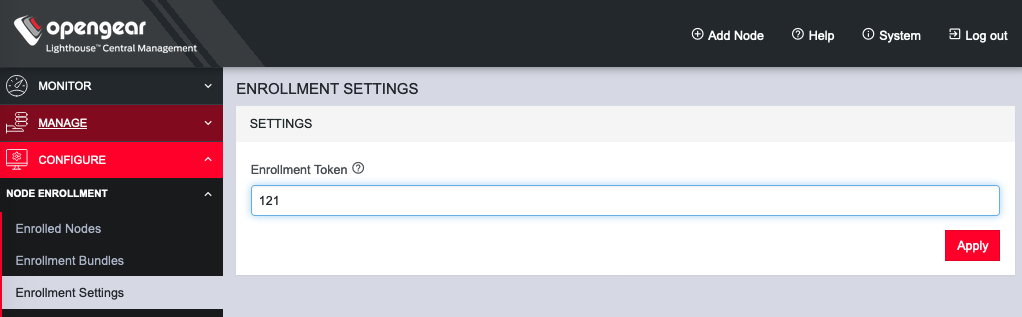
To enroll your OPERATIONS MANAGER in this Lighthouse instance:
-
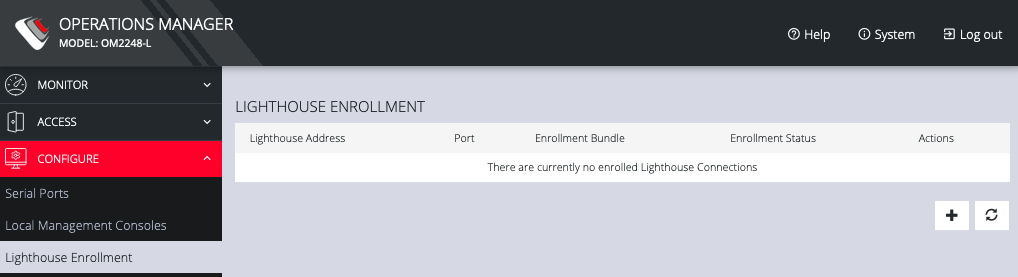
Click CONFIGURE > Lighthouse Enrollment.
-
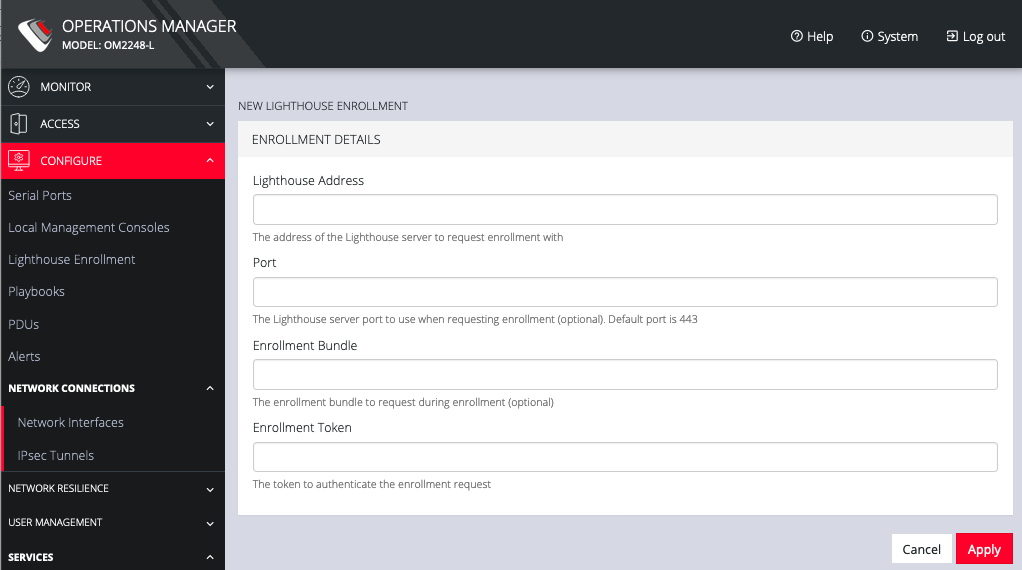
Click on the Add Lighthouse Enrollment button on the bottom right. The New Lighthouse Enrollment page opens.
-
Enter the IP address or fully qualified domain name of the Lighthouse instance and the Enrollment Token you created in Lighthouse. Optionally enter a Port and an Enrollment Bundle (see the Lighthouse User Guide for more information).
-
Click Apply.
Note: Enrollment can also be done directly via Lighthouse using the Add Node function. See the Lighthouse User Guide for more instructions on enrolling Opengear devices into Lighthouse.