PDUs
CONFIGURE > PDUs
One or more Power Distribution Units (PDUs), both Local and Remote can be monitored. To add information for a PDU, select Configure > PDUs.
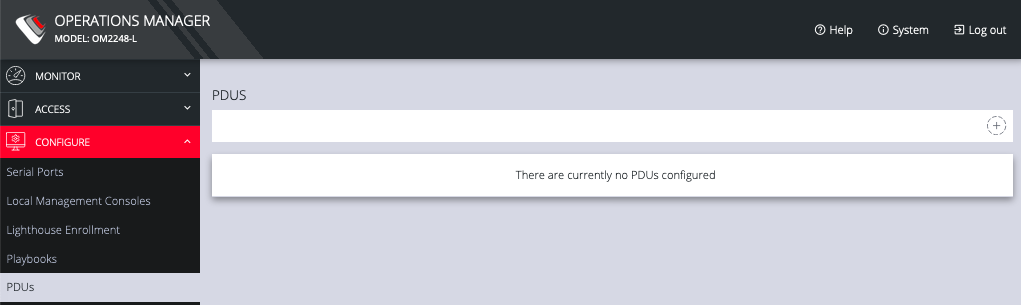
Click the Plus button to configure a new PDU.
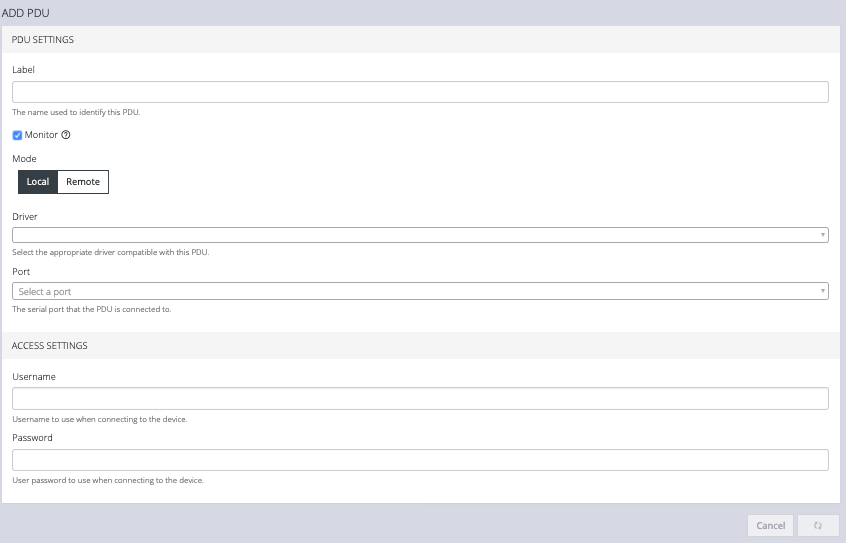
- Enter a Label for this PDU.
- Select the Monitor checkbox.
- Choose Local or Remote.
- Select the appropriate Driver from the drop-down list.
- Select the Port.
- Add a Description.
- Under Access Settings, enter a Username and Password to use when connecting to the device.
- When you are finished, click Apply.
After you have created PDUs, you can Edit orDelete them from the Configure > PDUs page.