Playbooks
CONFIGURE > Playbooks
Playbooks are configurable systems that periodically check if a Trigger condition has been met. They can be configured to perform a one or more specified Reaction. To create a new Playbook, select Configure > Playbooks.
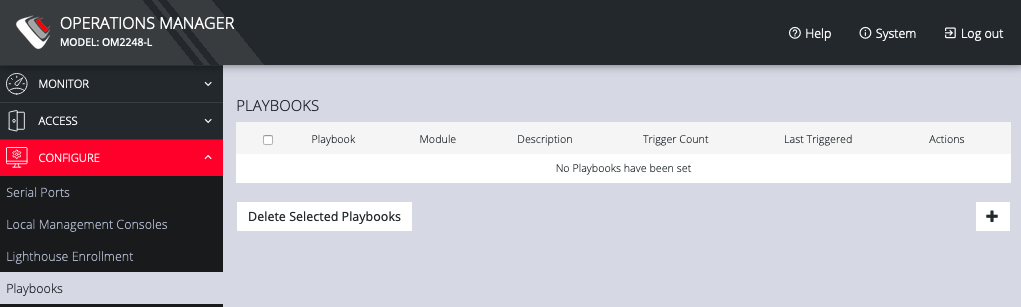
Click the Plus button to create a new Playbook.
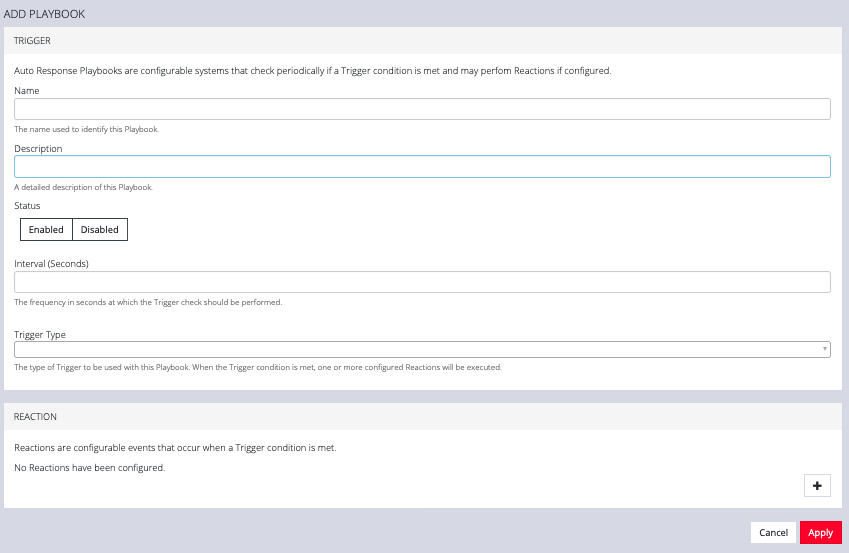
- Enter a Name for the Playbook.
- Add a Description.
- Select Enabled to activate the Playbook after you have created it.
- Enter an Interval in seconds to control the frequency that the Trigger will be checked.
- Choose the type of Trigger to use from the Trigger Type drop down.
- In the Reaction section, click the Plus and click on specific Reactions for this Playbook.
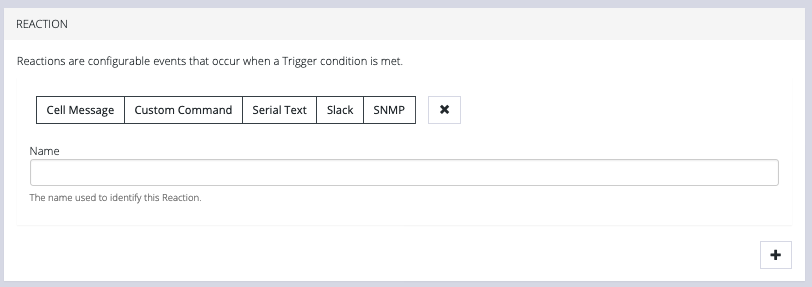
Clicking on each Reaction opens a custom screen to provide necessary information. When you are finished, click Apply.
After you have created Playbooks, you can Edit orDelete them from the Configure > Playbooks page.
To monitor current Playbooks, click on Monitor > Playbooks. Choose the time period if desired and filter by Name of Playlist to view any that have been triggered.