SNMP Alert Managers
CONFIGURE > SNMP > SNMP Alert Managers
Navigate to CONFIGURE > SNMP > SNMP Alert Managers to open the SNMP Alert Managers page.
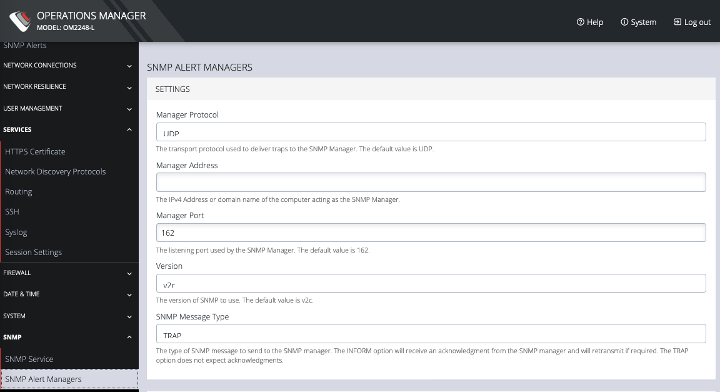
On this page, you can set the following:
· Manager Protocol: The transport protocol used to deliver traps to the SNMP Manager. The default value is UDP.
· Manager Address: The IPv4 Address or domain name of the computer acting as the SNMP Manager.
· Manager Port: The listening port used by the SNMP Manager. The default value is 162.
· Version: The version of SNMP to use. The default is v2c.
· SNMP Message Type: The type of SNMP message to send to the SNMP manager. The INFORM option will receive an acknowledgment from the SNMP manager and will retransmit if required. The TRAP option does not expect acknowledgments.
For SNMP V1 & V2C, you can specify a Community. This is a group name authorized to send traps by the SNMP manager configuration for SNMP versions 1 and 2c. This must match the information that is setup in the SNMP Manager. Examples of commonly used values are log, execute, net and public.