Syslog
CONFIGURE > SERVICES > Syslog
Administrative users can specify multiple external servers to export the syslog to via TCP or UDP.
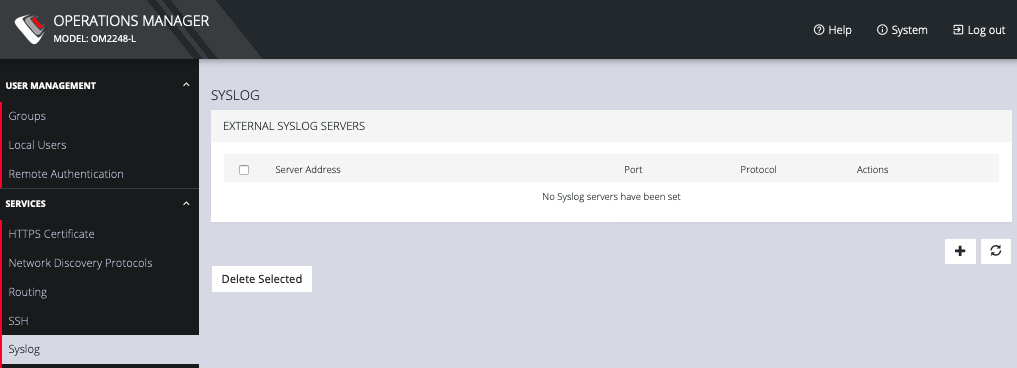
This page lists any previously added external syslog servers. To add a new one,
- Navigate to CONFIGURE > SERVICES > Syslog.
-
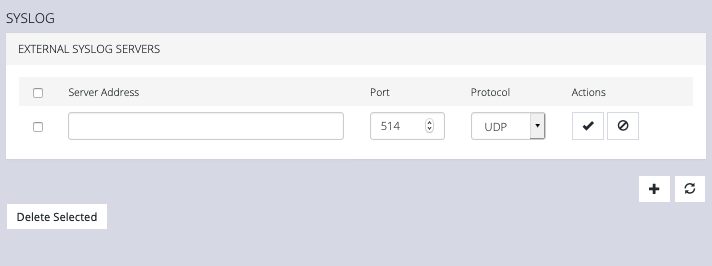
Click the Plus button. The External Syslog Servers form appears.
-
Enter the Server Address.
-
Enter the Protocol, either UDP or TCP.
-
Enter the correct Port. If no port is entered, UDP defaults to port 514 and TCP defaults to 601.
-
Click Apply.
To edit an existing syslog server, click the Edit button under Actions. Delete a server by clicking the Delete button or the checkbox next to multiple servers and the Delete Selected button.